








If you run a coworking space, you’ve probably lived this week before: someone’s asking why their invoice looks wrong, two people think they booked the same meeting room, a day-pass guest can’t find the Wi-Fi, and a tour lead is sitting in your inbox while you’re putting out fires.
Coworking software helps by putting the busywork in one place, so your space runs smoother without you needing a bigger team. In this guide, we’ll break down what coworking software actually is, how it works, and how to choose a platform that fits your space (and your budget).
💡 What you’ll learn:
- What coworking software is, and what it helps you manage day to day
- How coworking software works behind the scenes
- Which coworking software providers are common picks for different space types
- How coworking software pricing usually works, and what often costs extra
- What are the latest coworking software trends
Coworking software guide
What is coworking software?
Coworking software is a tool that helps you run a coworking space day to day. This includes everything from billing and payments, plans & memberships, bookings, visitor management, community engagement, and space analytics.
Instead of managing everything with spreadsheets, email, and separate apps, coworking software puts the main tasks in one place so your community managers can spend less time on admin and more time helping members.
What coworking software is used for
The best coworking software solutions help you:
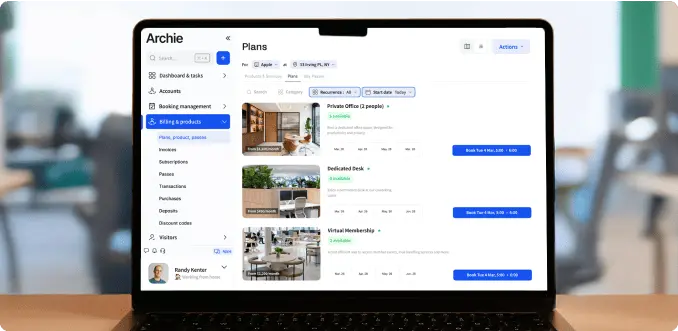
- Sell access: memberships, day passes, bundles, and add-ons
- Manage members: profiles, plans, upgrades, cancellations, and credits
- Handle bookings: desks, meeting rooms, phone booths, parking, lockers, and more
- Send invoices and take payments: plus taxes, discounts, and automatic reminders
- Manage visitors: sign-in flows, host notifications, and forms or NDAs (if needed)
- Support community: announcements, events, directories, and messaging
- Track what’s working: revenue, occupancy, popular spaces, and basic usage trends
Who uses coworking software
You’ll usually see coworking software used by:
- Coworking spaces (one location or many)
- Serviced offices and flexible office providers
- Shared studios (like creative studios, gyms, workshops, and maker spaces)
- Any operators that sell day passes, meeting rooms, and private offices
Coworking software vs traditional property management software
How does coworking software differ from traditional office software? A simple way to think about it is this: property management software runs a building, coworking software runs the coworking business inside it.
- Property management software is made for managing buildings and long-term leases. It’s great for things like rent collection, lease documents, and property accounting.
- Coworking software is made for flexible spaces where things change every day. It focuses on short-term access, bookings, memberships, add-ons, and the day-to-day coworking operations.
Benefits of coworking space management software
- Less admin work for your team. Instead of updating spreadsheets, chasing invoices, and answering the same questions all day, the coworking admin software automates a lot of routine tasks. Things like recurring billing, booking confirmations, payment reminders, and basic member updates happen automatically.
- Faster, smoother member experience. Members can usually join, pay, book desks or rooms, and get updates on their own. That means fewer back-and-forth emails and fewer front desk bottlenecks, especially during busy hours.
- Better bookings, fewer conflicts. A good coworking platform shows real-time availability and applies clear booking rules, like limits, buffers, or approvals. This helps avoid double bookings, last-minute chaos, and awkward “who booked this room?” moments.
- More reliable billing and payments. You can handle memberships, day passes, add-ons, taxes, discounts, and proration in your coworking operating software. Invoices go out on time, payments are easier to collect, and you spend less time fixing billing issues.
- Clear view of who is active and who is on site. Most systems show who has access, who is checked in, and what is booked today. This helps with service, safety, staffing, and just staying organized.
- Stronger community and communication. Coworking membership software usually includes simple tools for announcements, events, member directories, or messages.
- Better use of your space. With basic reporting, you can see what is being used most, what is sitting empty, and when your peak hours happen. That helps you price smarter, plan staffing, and decide what to add or remove.
- Easier growth and consistency. If you add more members, more resources, or more locations, coworking CRM software makes it easier to keep things consistent. You are not rebuilding processes from scratch every time you grow.
- Fewer tools to manage. When bookings, billing, member records, and communication live in one platform, there is less switching between your coworking technology stack and less double entry. That usually means fewer errors and cleaner data.
How coworking software works
Coworking software acts as one main hub where you manage your space, your people, and the day-to-day tasks. If you want to understand what it can really do, though, the next step is to look at specific coworking software features:
#1 Setting up your space(s)
This is when you have to add the basics about the coworking business: your locations, opening hours, and what people can book, like desks, meeting rooms, private offices, phone booths, parking, lockers, or equipment.
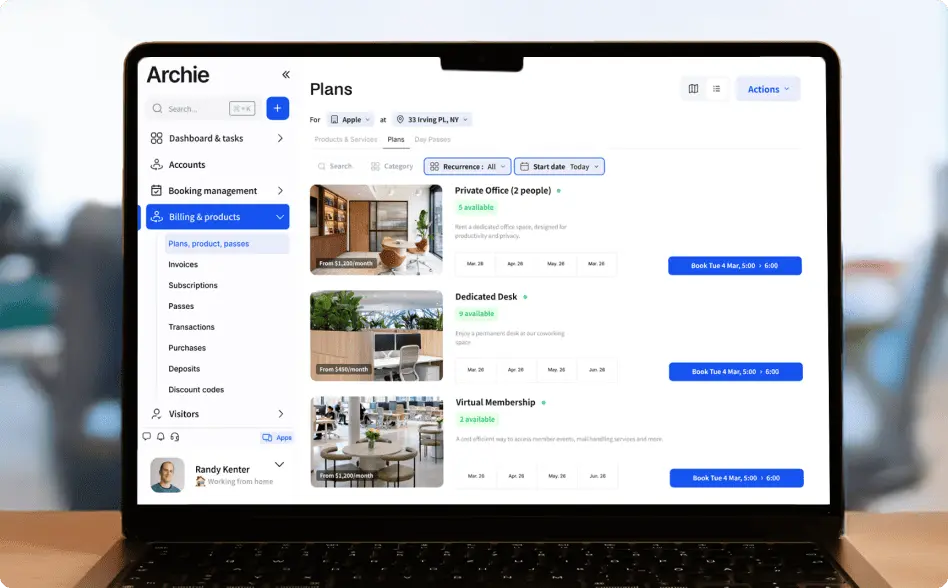
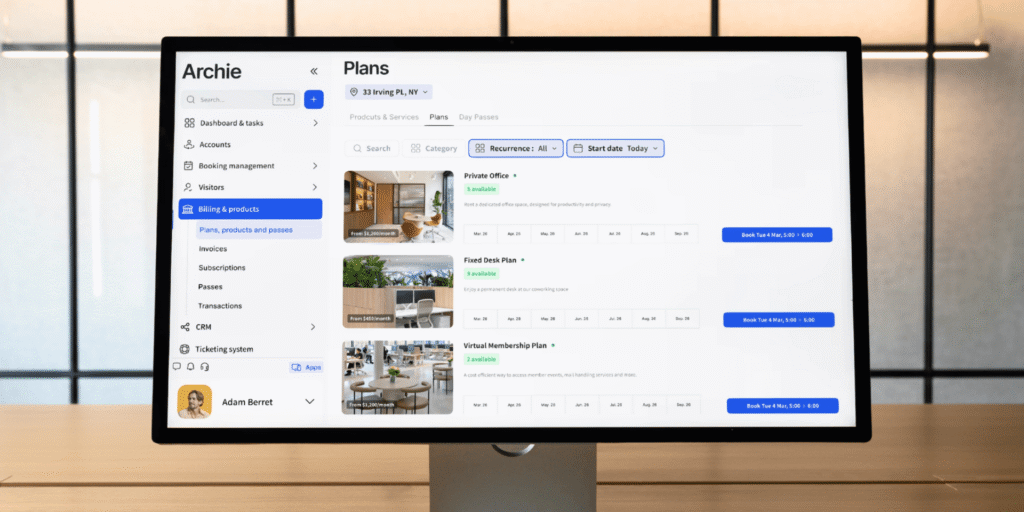
Then you set up what you sell. That can be memberships, day passes, bundles, and add-ons, along with pricing and billing rules. This is also where you decide how bookings should behave, like how far in advance members can book, how long they can reserve a room, whether approvals are needed, and whether you want buffers between bookings for cleaning or turnover.
#2 Members join and get access
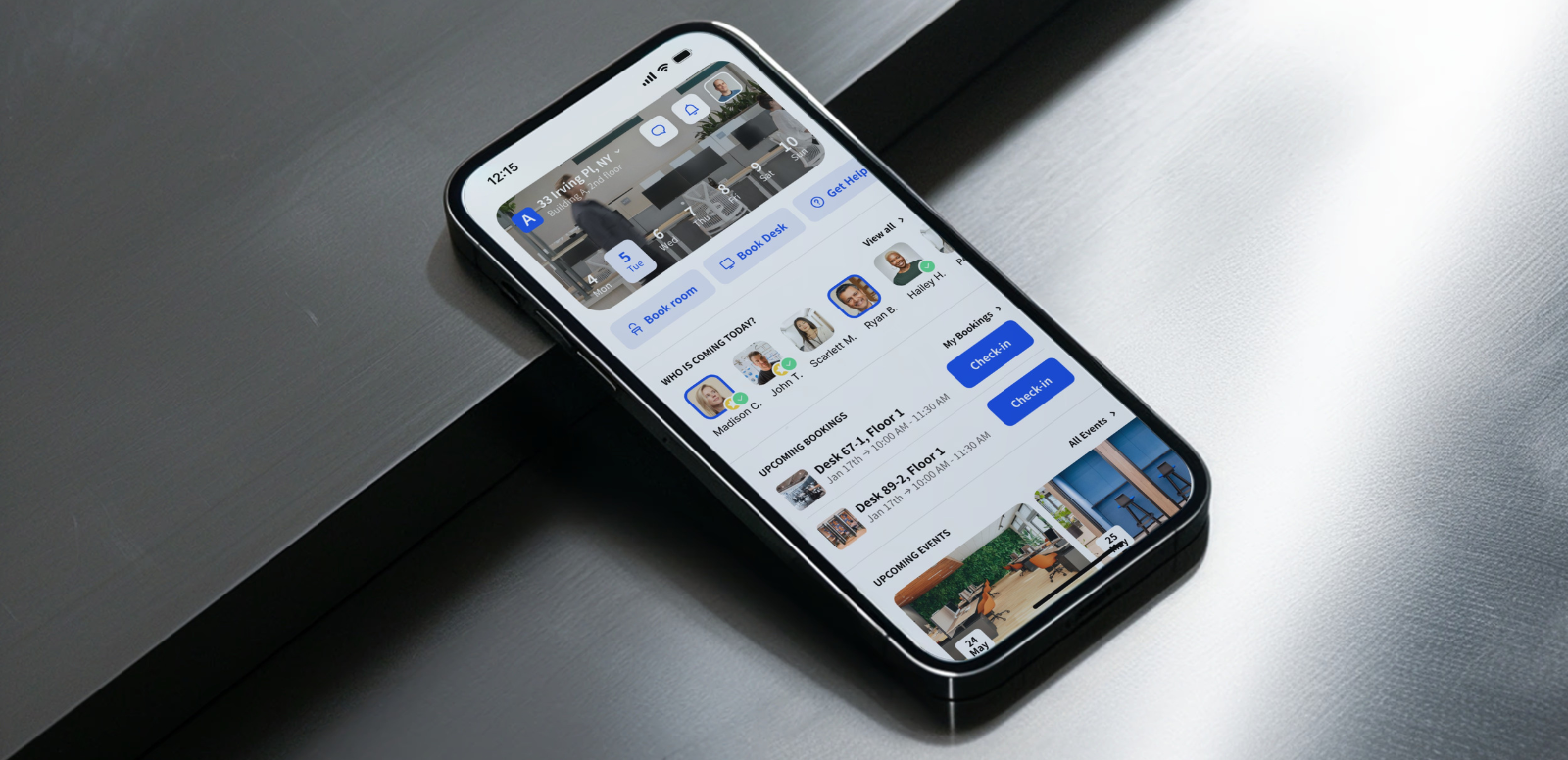
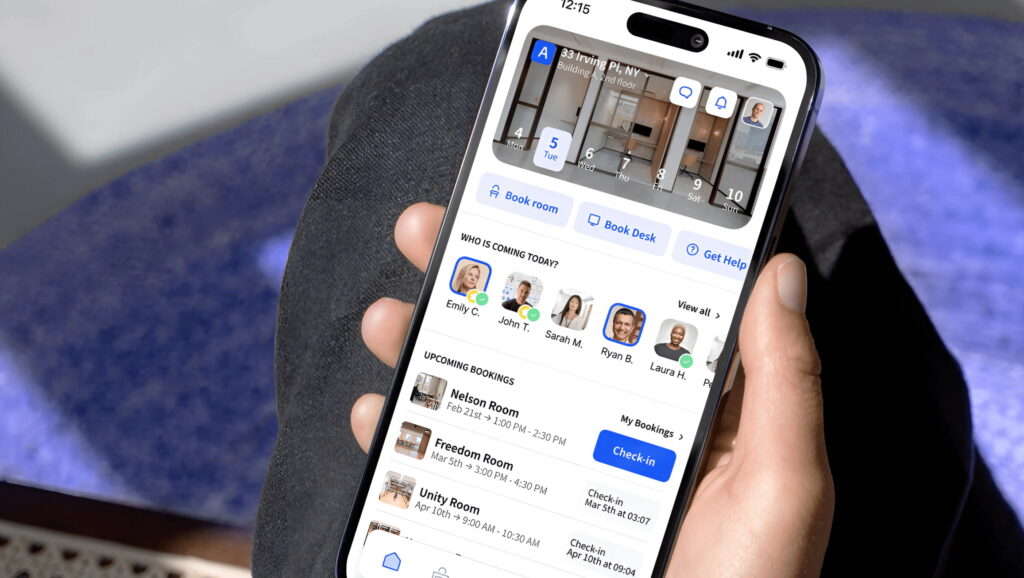
Once that foundation is in place, members can join through a portal or app. They create an account (or your team invites them), choose a plan, and pay online. As soon as they are active, the coworking booking and billing software applies the right access and booking permissions automatically. For example, a part-time member might be able to book desks Monday to Thursday, while a team plan might include a certain number of meeting room hours each month.
#3 Booking happens automatically
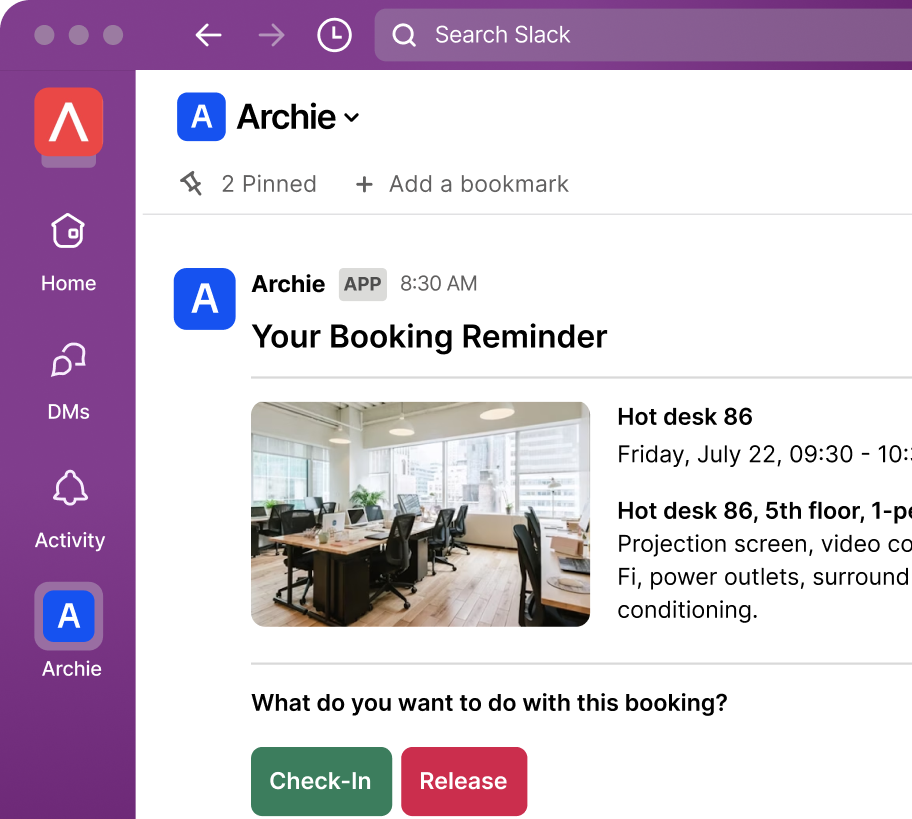
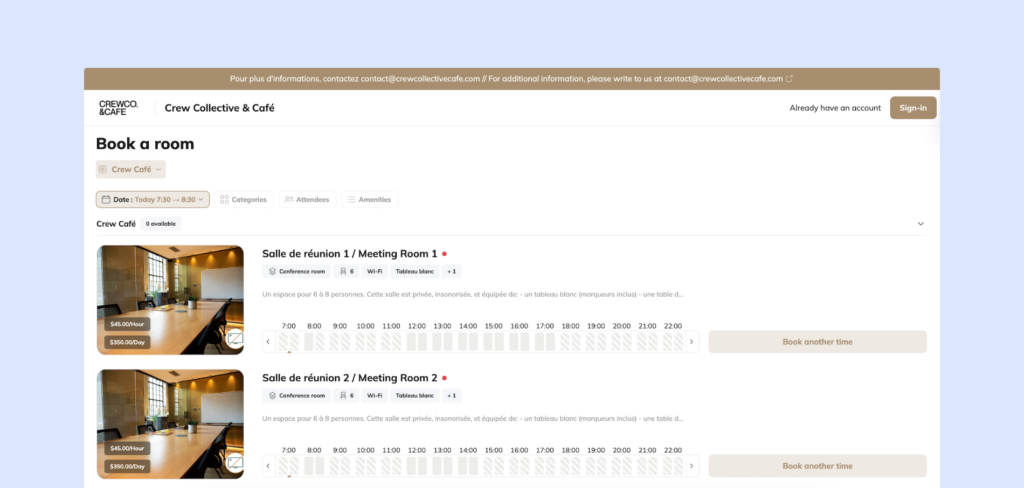
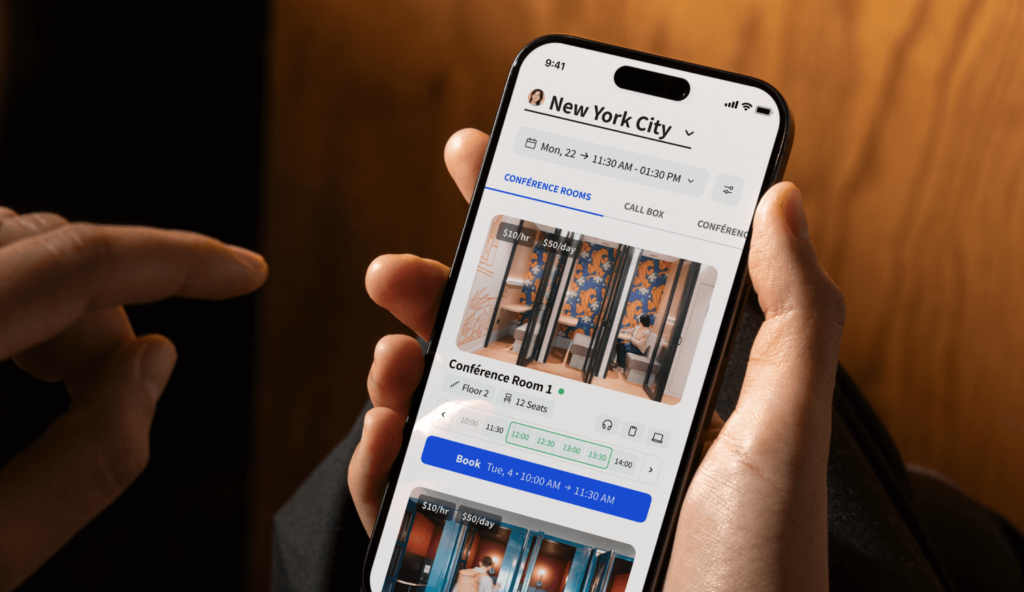
From there, bookings run on autopilot. Members can see real-time availability and book what they need. The coworking software checks your rules in the background, confirms the reservation, and can sync bookings to calendars and communication tools like Google Calendar or Slack. If someone cancels, it frees up the space right away. If you have no-show rules, the system can release a desk or room automatically so someone else can use it.
#4 Billing runs in the background
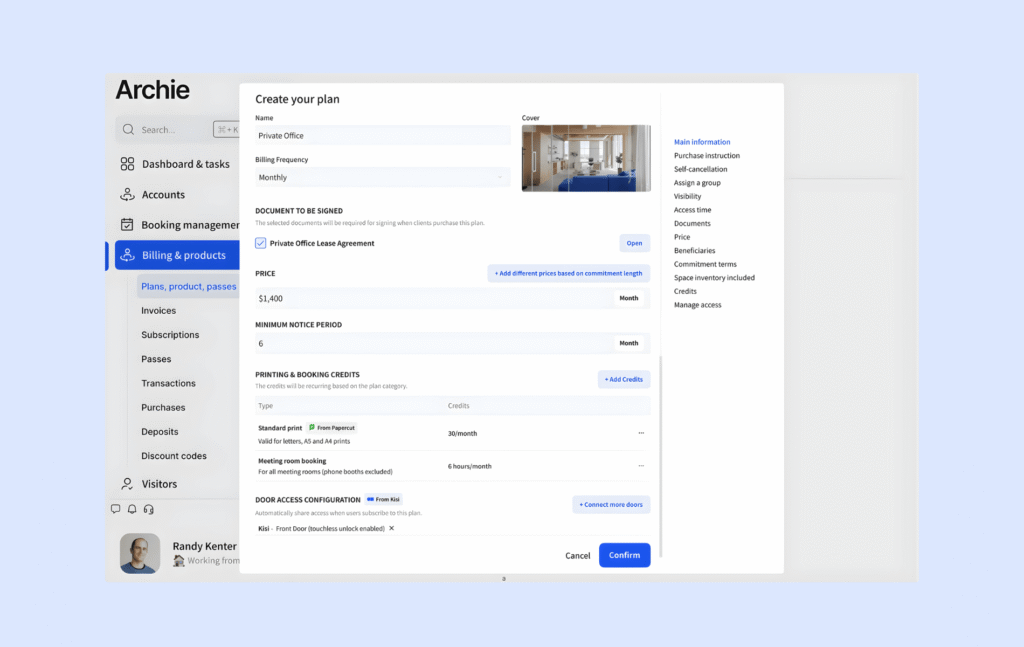
Billing is the other big piece that happens quietly in the background. Every plan has a billing schedule, and the system generates invoices automatically, charges stored payment methods (if enabled), and sends reminders when something is unpaid.
If someone upgrades their membership mid-month, good coworking software handles proration so you are not manually calculating the difference. It can also track extras, like paid meeting room time, printing credits, guest fees, or locker rentals, and add them to the right invoice.
#5 Front desk and visitor flows get simpler
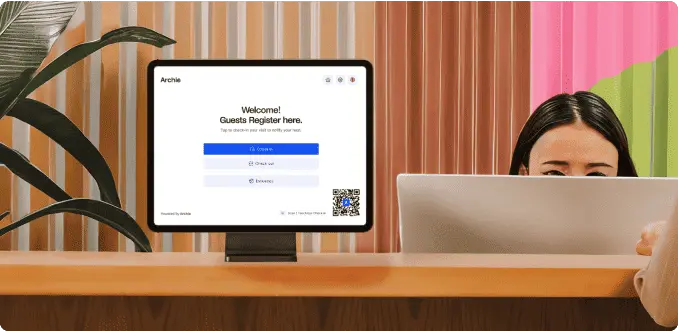
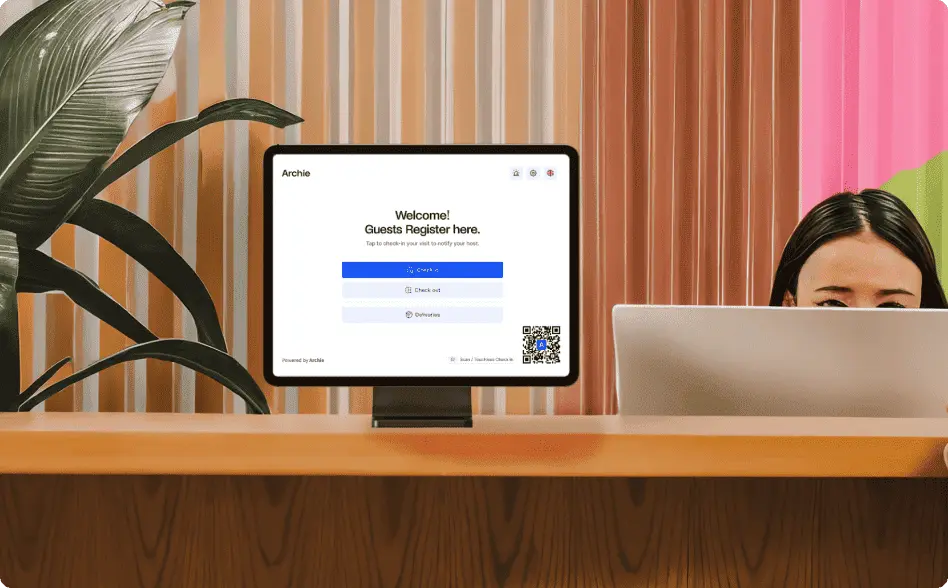
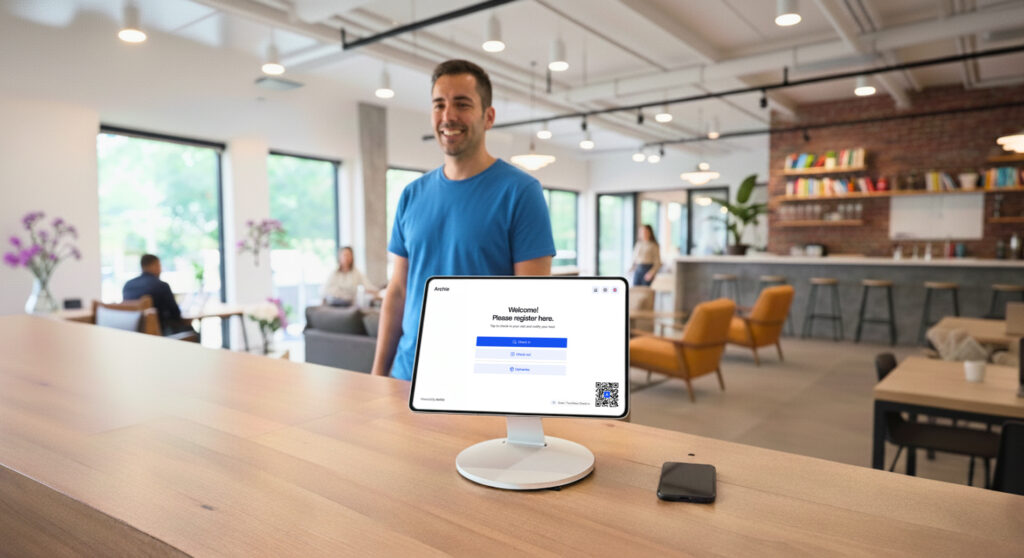
On the front desk side, coworking software often helps you manage visitors and the on-site experience. Depending on the platform, guests can be pre-registered, sign in on a tablet, accept forms if needed, and trigger an automatic notification to the host. Your team gets a clear view of who is in the building, which is useful for both service and safety.
#6 You get a clearer view of what’s happening
Finally, the software gives you a clearer view of how your coworking business is actually running. Instead of guessing, you can see which rooms are booked most, what days are busiest, which plans are selling, and where revenue is coming from. Over time, this helps with smarter decisions, like when to adjust pricing, where to add capacity, or what add-ons people actually value.
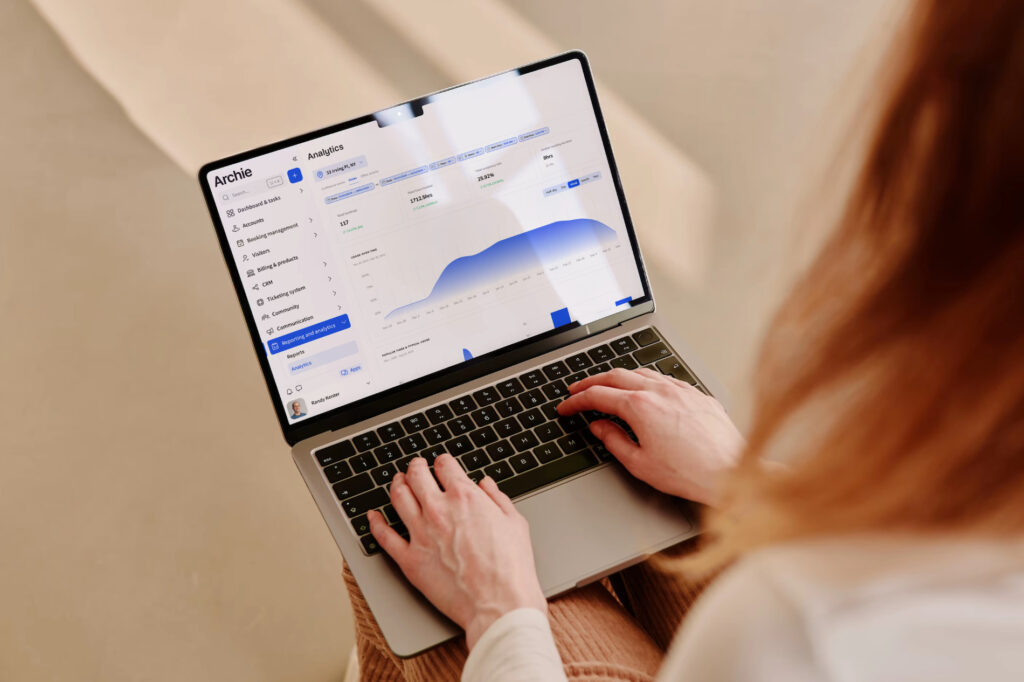
💡 A quick real-world example: A member buys a 10-day pass online, books a desk for Tuesday, and reserves a meeting room for 2 pm. They check in when they arrive, their host gets a notification if they bring a guest, and the system automatically charges them for any add-ons. Your team mostly just monitors and helps when needed.
What features should I look for in coworking software?
- Resource booking and space management
- Community and member experience
- Sales, growth, and daily operations
- Payments, billing, and invoicing
- Visitor management and front desk tools
- Integrations and your coworking tech stack
- Analytics and reporting
- Branding and white-label apps
Resource booking and space management
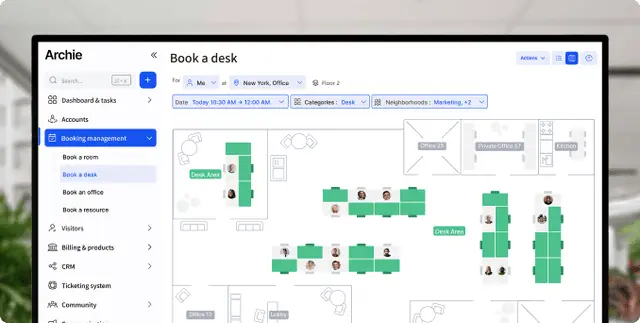
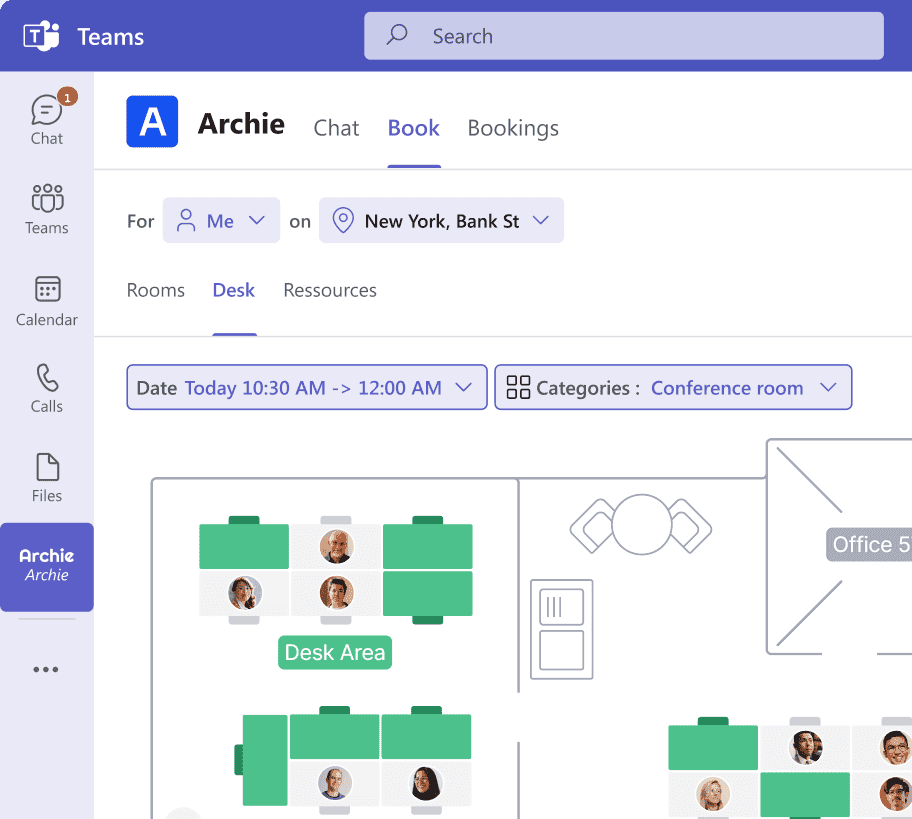
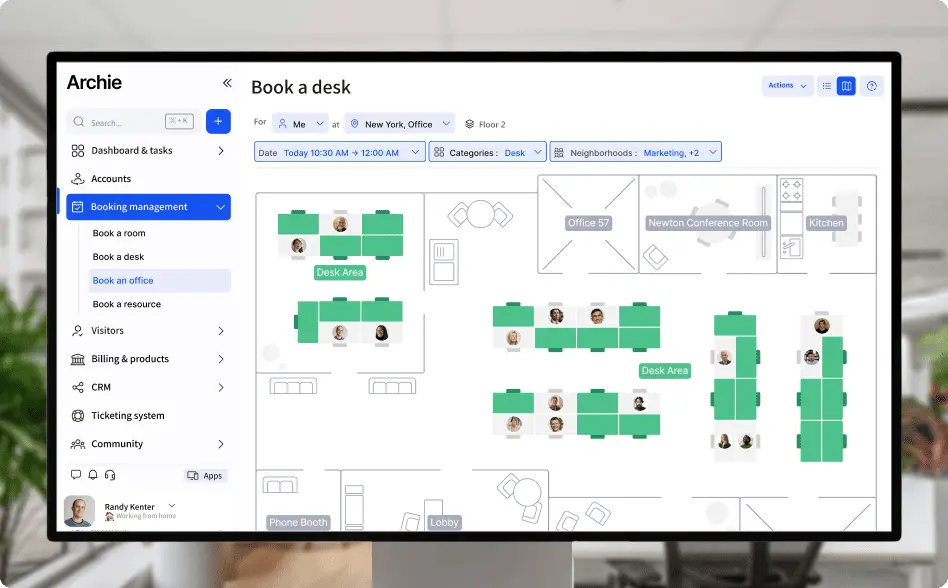
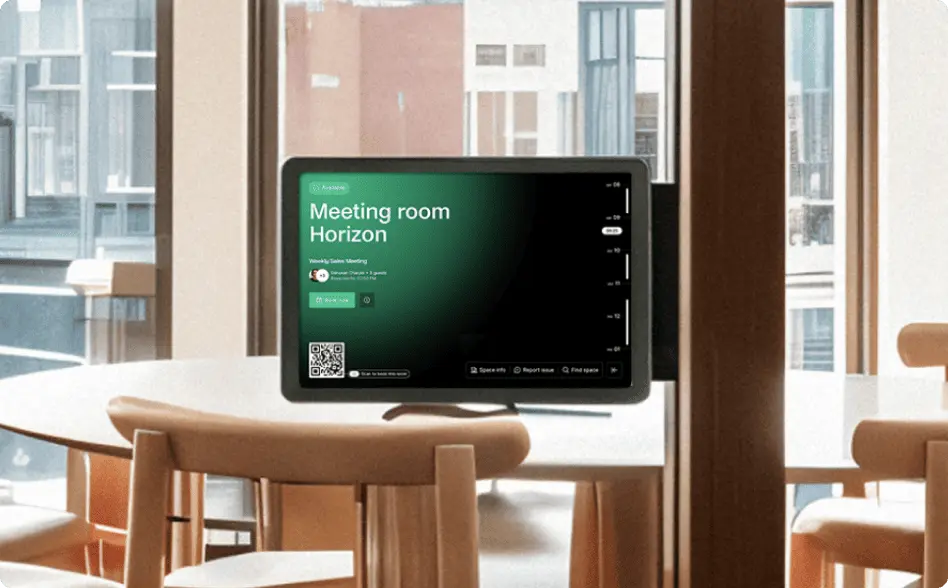
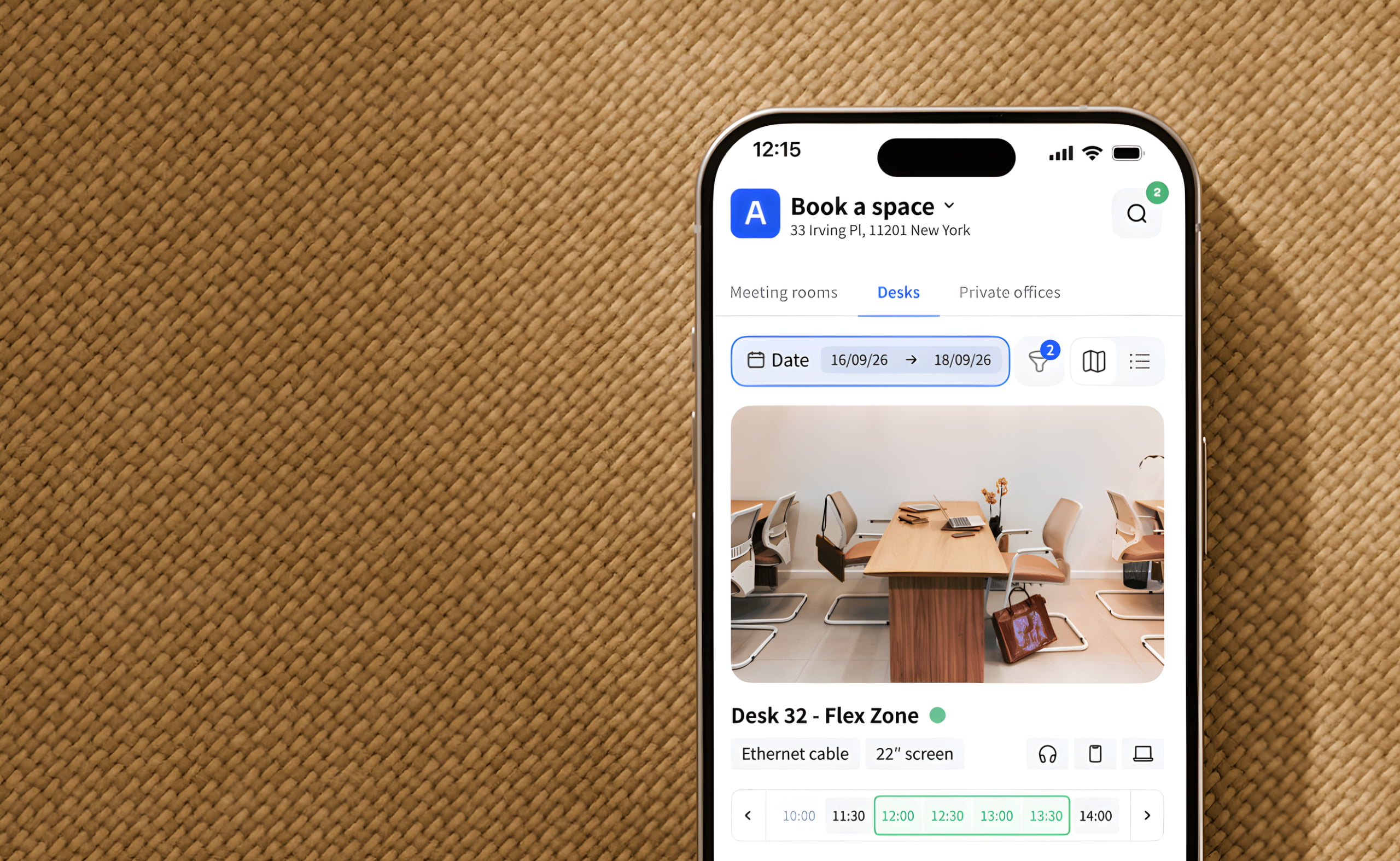
A resource booking system is the heart of most coworking tools. Members should be able to book desks and meeting rooms from a web portal or mobile app, and ideally also through kiosks or calendar integrations. A good system shows real-time availability, often with interactive floor plans, so people can pick the right spot quickly.
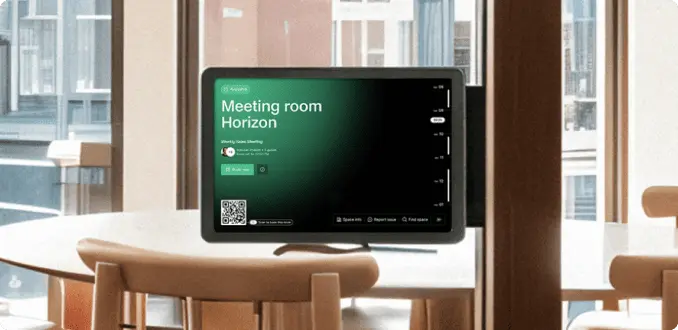
You should also be able to set clear booking rules, like who can book what, how far in advance, and how long they can reserve a room. Helpful extras include filters (capacity, equipment, amenities), QR code check-ins, buffers between bookings, and privacy options for meetings that need more discretion.
Community and member experience
The best coworking space management platforms include simple community tools that help members connect and stay informed, like a member directory with profiles, announcements, events, and messaging.
Even basic coworking software features like a newsfeed, topic groups, or an easy way to contact the team can cut down on back-and-forth emails, make the space feel more welcoming, and build a community.
You should also be able to set clear booking rules, like who can book what, how far in advance, and how long they can reserve a room. Helpful extras include filters (capacity, equipment, amenities), QR code check-ins, buffers between bookings, and privacy options for meetings that need more discretion.
Sales, growth, and daily operations
If you want software that helps you grow, look for built-in tools for handling leads and member onboarding. Many platforms include a coworking CRM where you can track inquiries, schedule tours, send quotes, manage contracts and member agreements, and move people from “lead” to “active member” without juggling multiple systems.
It also helps to have flexible setup options, like custom resource types (podcast studios, parking, lockers), admin roles and permission groups, and custom forms to collect important details during signups or bookings.
Payments, billing, and invoicing
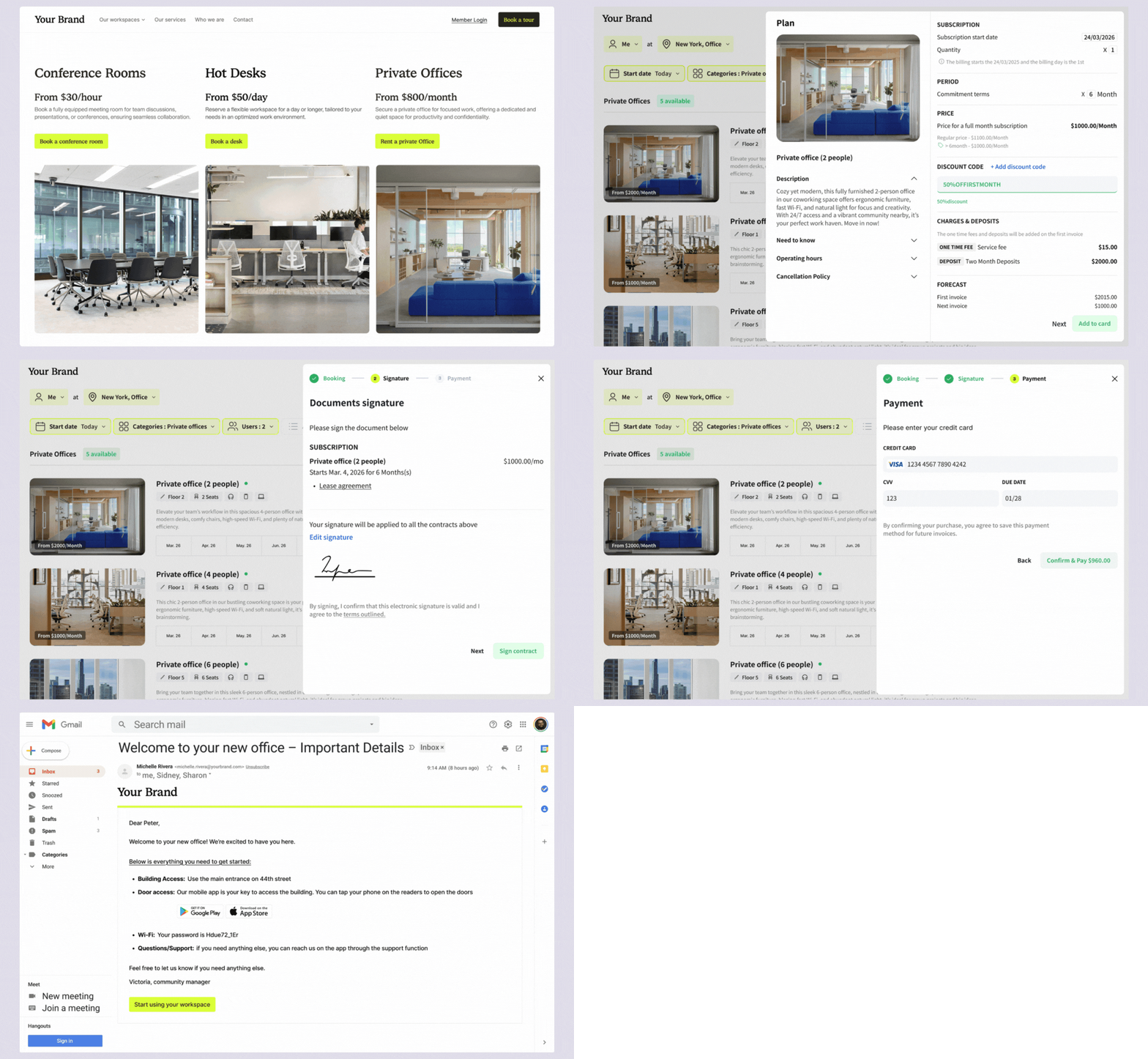
Billing is where a lot of spaces feel the pain, so this area matters. Strong coworking billing software automates recurring invoices, supports common payment methods (like credit cards and ACH or direct debit), and handles real-life scenarios like upgrades, refunds, credits, and discounts.
Member self-service is a big plus, too. Members should be able to update payment details and download invoices without needing your team to step in. If you use accounting tools, look for integrations with systems like QuickBooks or Xero, or at least an API connection.
Visitor management and front desk tools
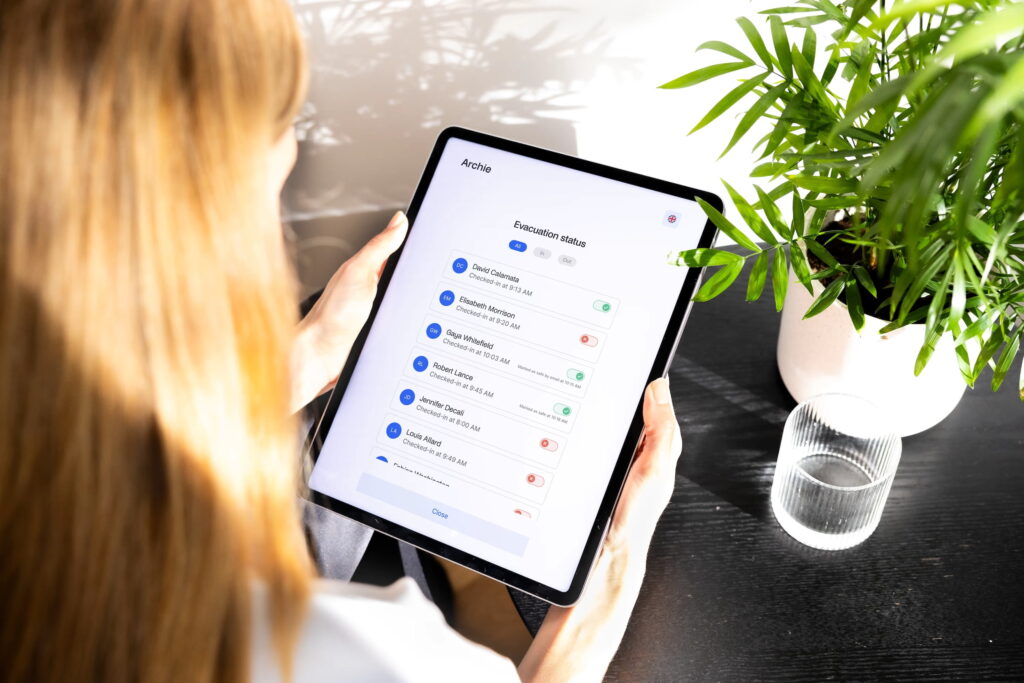
If your space welcomes guests often, visitor management software for coworking can be a real upgrade. Look for pre-registration, simple check-in options, and automatic host notifications when someone arrives. Many platforms also support badges, visitor photos, and visitor logs for better recordkeeping.
Some tools go further with delivery tracking and even emergency workflows, which can be useful if you manage a busy lobby or multiple locations.
Integrations and your coworking tech stack
Integrations matter because coworking software rarely lives alone. The best platforms connect with the tools you already use, like Google or Microsoft calendars (two-way sync), Slack for notifications, WiFi automation, and access control systems for mobile door entry.
If you want flexibility, look for an open API and Zapier support, so you can connect to hundreds of other apps and build custom workflows as you grow.
Analytics and reporting
Reporting helps you make smarter decisions, not just “look at charts.” Useful coworking analytics include real-time usage by resource and location, occupancy rates, peak hours, cancellations, booking trends, and other coworking space KPIs that matter for your business. Bonus points if reports are easy to export and share with your team.
Branding and white-label apps
A white-label coworking app is a member app that looks and feels like your brand, not your coworking software vendor’s. Yet, white-label coworking apps can be confusing, because some tools talk about “branding” but mean different things:
- A true white-label mobile app means the app shows up in the App Store and Google Play under your coworking space name, with your icon, logo, and colors. Members download it and only see your brand. This is usually a paid add-on.
- In-app branding is lighter. You still use your logo and colors inside the app, but the app listing is under the software provider’s name. Many platforms include this kind of branding in standard plans, and it often also applies to the web portal, kiosks, room tablets, and visitor check-in screens.
No matter which option you choose, the app should cover the basics members care about: booking desks and rooms, paying for memberships, checking in, signing up for events, and messaging or updates. The big win is that you get a branded member experience without building and maintaining your own app from scratch.
If you’re evaluating options, you can use this list as a checklist. Or, you can just try Archie, which offers all these coworking software features and more.
Top coworking software examples
There is no single “best” coworking software for every space. The right choice depends on your space type, how complex your billing is, and how much time you can spend on setup. These are some of the most common platforms you will see in the market (and in many “top coworking software” roundups, including ours):
- Best software for managing any coworking space: Archie Coworking is the best all-around coworking software for most spaces because it covers the core workflows in one place (memberships, bookings, billing, visitors, and community) and is designed to be easy to roll out and easy to use.
- Best for a small, single-location space: Tools like Archie, Cobot, and Spacebring often fit the “keep it simple” need with fast setup, easy billing, and a clean member app or portal.
- Best for enterprise-grade, multi-location operations: Nexudus (deep customization and reporting) or OfficeRnD Flex (structured all-in-one with benchmarking) are common picks. For portfolios that mix flex with property operations, Yardi Kube is often in the conversation.
- Best for hospitality coworking and boutique brands: Archie, Optix, and Spacebring tend to shine when the member experience and self-serve flow are the priority.
- Best for serviced offices and multi-tenant buildings: You usually want a tool that can handle contracts, billing, reporting, and sometimes landlord-style needs. OfficeRnD explicitly markets to landlords, and Yardi Kube leans into property operations plus flex management.
- Best for shared studios (podcast, photo, maker spaces) or gyms/wellness studios: AllBooked by Skedda is a common choice, but many coworking platforms can work well here as long as they handle recurring billing and flexible booking rules.
A quick note on coworking software migration
If you’re planning to switch coworking platforms, ask every vendor the same basic questions: what they can import (members, plans, invoices, bookings), how long onboarding usually takes, what support you get during the switch, and what integrations you can keep (payments, accounting, access control, Wi-Fi, calendar). A smooth coworking software migration is often less about features and more about planning and support.
Budgeting for coworking software: pricing models and costs
How much does coworking software cost? Good question.
The cost of coworking software can get confusing fast. Two tools can look similar, but end up costing very different amounts once you factor in members, locations, visitor tools, or a white-label app.
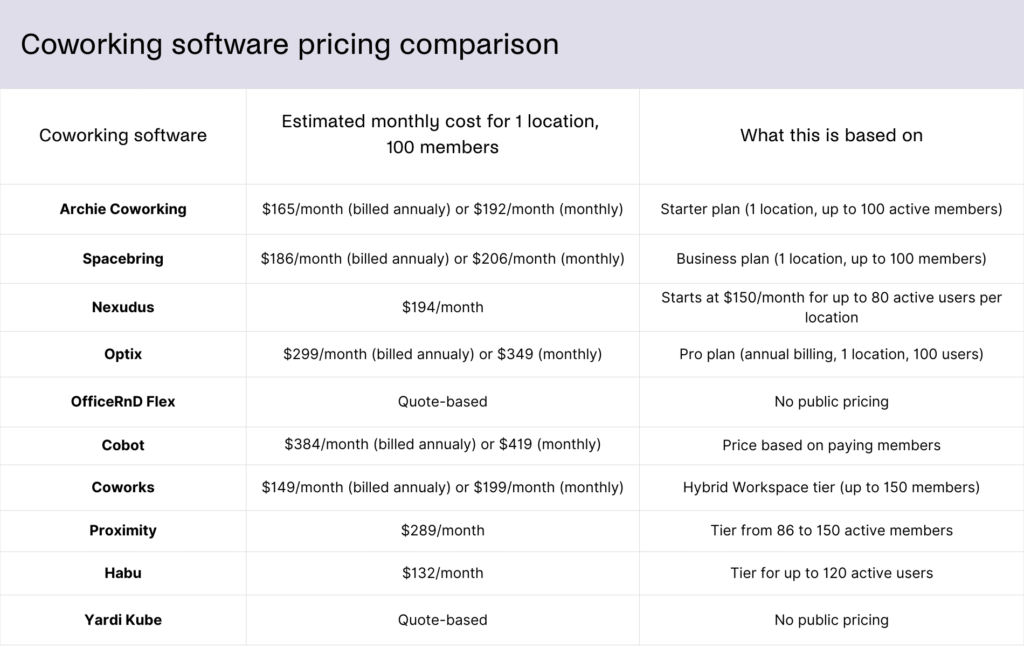
As a simple starting point, most coworking software costs about $130 to $400 per month for one location with around 100 members, before add-ons. The biggest price differences usually come from how members are counted, which features are included, and how pricing scales as you grow.
The most common coworking software pricing models
Most providers price their software in one (or a mix) of these ways:
- By active or paying members: you pay based on how many members “count,” but every platform defines this differently.
- By location: you pay per site, sometimes with member limits on top.
- Tiered plans: Starter, Pro, Enterprise, where key features may be locked to higher tiers.
- Add-ons: a low base price, then extra charges for things many spaces need.
- Quote-based pricing: common for larger coworking operators, where pricing depends on your setup and modules.
What often costs extra
Even if the base plan looks affordable, the total can jump once you add things like white-label mobile apps, visitor management, SSO, advanced analytics, API access, door access, or WiFi automations, or paid onboarding and training.
Before choosing a platform, it helps to ask a few simple questions:
- How do you define an “active member”?
- Is pricing per location?
- Which features are included in the tier you actually need?
- What add-ons do most customers end up paying for?
- And how will pricing change if you add a second location or grow your member count?
The “best value” is usually the platform with clear pricing rules, core features included, and predictable scaling. If you want a safe baseline to compare against, start with a tool like Archie that is easy to budget for and does not rely on lots of required add-ons as you grow.
Coworking software pricing models and monthly fees comparison
💡 You can find more information on pricing models & plans in our coworking software pricing guide.
Coworking software trends & market statistics
The market itself is growing quickly. One widely shared estimate (distributed by Research and Markets) says the global coworking space management software market grew from $1.7B in 2024 to $1.94B in 2025, and is projected to reach $3.24B by 2029.
On the coworking business side, Deskmag’s survey-based reporting shows how performance is improving, but still varies a lot by location. At the start of 2025, Deskmag reported:
- Average global occupancy: 68%
- 54% of coworking businesses are profitable, while 18% reporting losses
That mix matters because software is often bought for one reason: to protect margins and coworking space profitability when costs are high, and staffing is lean.
Emerging trends shaping coworking management software
- Coworking software is becoming an “operating system,” not a booking calendar. Operators are moving away from disconnected tools. Instead, they want one system that ties together inventory (desks, rooms, offices), identity (members and permissions), billing, access, and analytics.
- Hybrid work is pushing more demand for booking and utilization features. Corporate office teams are dealing with uneven attendance, which increases pressure for bookable space and better utilization data.
- More self-serve and “contactless” workflows. Members increasingly expect to do things without emailing the front desk: booking, paying, checking in, inviting guests, and getting updates. That trend also shows up in how buildings are being run.
- The most useful AI in coworking is not flashy. It is simple help that saves time, like faster replies to common questions, lead follow-up, tour scheduling, and spotting patterns in usage so operators can plan staffing and capacity. Deskmag also flags that many operators expect growing use of AI applications in the industry.
- Better analytics, because profitability depends on the mix. As occupancy rises, operators still need to understand what is driving revenue: private offices vs hot desks, meeting rooms, day passes, add-ons, and events. That is why analytics is shifting from “nice charts” to “answers you can act on,” like peak hours, cancellation patterns, and what inventory is underused.
💡 You can find more coworking industry statistics in our dedicated guide.
Turn your shortlist into the best coworking software choice
By now, you’ve seen what coworking software can do, and how different platforms handle bookings, billing, analytics, and the member experience. The next step is choosing the one that actually fits your space, not the one with the longest feature list.
A simple way to decide is to put every tool through the same checklist. Start by writing down your must-have workflows, like memberships, invoicing, room booking rules, visitor check-in, and lead-to-member onboarding. Then map the full member journey, from the first coworking website visit to booking a tour, joining, booking a desk, paying an invoice, and renewing.
Next, confirm your non-negotiable integrations, like payments, accounting, Google or Microsoft calendars, access control, WiFi, and your CRM (if you use one). Small gaps here can become big daily headaches later.
Finally, run a short pilot with real staff and real members. Give them a few common tasks and see what happens. How many questions come up? Where do people get stuck? What feels fast and easy? A one-to-two-week trial can tell you more than any demo.
If you want a modern, operator-first platform that brings bookings, memberships, billing, visitor management, and reporting into one place, Archie is a strong option with transparent pricing plans to include in your shortlist.
Whichever direction you choose, treat your coworking software like a long-term business decision, not just another tool. The right platform will help you run leaner, keep members happier, and scale without chaos.
Coworking software FAQs
For a single-location space with straightforward plans, expect 3–6 weeks from contract to go-live, including setup, data import, and staff training. Multi-location or highly customized deployments can stretch to 2–3 months, especially if you’re integrating access control, accounting, and custom workflows.
Start by cleaning your data: remove inactive members, standardize plan names, and verify email addresses before you import anything. Then, run a test migration with a small sample so you can check memberships, credits, and invoices for accuracy before moving your full database.
Yes. Many visitor management systems support pre-registration through email links or mobile-friendly forms. Visitors can fill in their details, sign documents, and receive a QR code before they arrive. At check-in, they can scan the code at the kiosk, which helps reduce wait times and lobby congestion.
A frequent pitfall is overvaluing niche features while underestimating day-to-day usability for your team and members. Another is skipping real-life testing; always validate the system with actual bookings, invoices, and door access flows before committing long-term.
Provide short, role-specific training sessions for staff and simple how-to guides or screen recordings for members. Time your launch with clear communication, offer live support in the first weeks, and gather feedback so you can quickly fix friction points in the experience.
Monitor member app adoption, booking volume by resource type, invoice collection time, and churn or contract renewals. Over time, layer in metrics like revenue and utilization by zone to inform layout changes and new product offerings.
Sources
- Archie product research
- Competitor websites and product documentation
- Research and Markets, Coworking Space Management Software Market Report 2026
- Deskmag, 2025 Global Coworking Space Trends

Berenika Teter
Archie's Content Manager, fueled by filter coffee and a love for remote work. When she’s not writing about coworking spaces and hybrid workplaces, you can probably find her exploring one.